
01
Product teams are bringing AI into user research
Research is no longer something only dedicated researchers do. Product managers and designers increasingly run studies themselves, and they are using AI to do it. In Atlassian’s State of Product 2027 report, a survey of 1,000 product professionals, 99% of product teams said they have fully integrated AI into at least one workflow.
- 99%of product teams have fully integrated AI into at least one workflow (Atlassian State of Product 2027, 1,000 respondents).
- 43%of developers and 38% of designers use AI for customer research during discovery (Figma 2025 AI Report, 2,500 respondents).
- 80%of product teams say AI helps them ship faster, but customers aren’t seeing value any sooner (Atlassian State of Product 2027).
So far, most of that AI use sits around the edges of research, in desk research, data analysis and documentation. As delivery speeds up, the bottleneck is moving upstream to discovery: deciding what to build. The next shift is AI moderation: an AI that runs the conversation itself, asks follow-up questions and watches how participants use the product. Harvard Business Review described AI-powered interviewers as a way to run adaptive conversations with thousands of participants and shorten research cycles from weeks or months to days.
For product teams, that means interviews and usability tests can run every sprint instead of once a quarter. A growing number of tools offer AI moderation. Some are AI-native platforms built around an AI moderator. Others are established UX testing tools adding AI to existing workflows.
In this guide
We compare the leading AI tools from a product team’s perspective: which platforms let you interview users and test websites, prototypes and mobile apps in the same workflow. Tools are grouped into AI-native platforms and incumbents.
Sources: Atlassian, State of Product 2027 (opens in a new tab) · Figma, 2025 AI Report (opens in a new tab) · Harvard Business Review, 2026 (opens in a new tab)
02
AI-native platforms and incumbents
An AI-native platform is designed around an AI moderator from the start: the AI plans the questions, runs the session, probes for detail and prepares the analysis. An incumbent is an established research tool that teams already know, originally built for human-moderated or unmoderated studies, that is now adding AI on top of its existing product.
- 01
AI-native platforms
Glimma, Listen Labs, Conveo, Strella and Outset. They differ in how closely the interviews connect to product testing, and in who they are built for.
- 02
Incumbents
Maze, Lyssna, UserTesting and Marvin. Their roots are in UX testing and research repositories. AI is often limited to follow-up questions, early access or Enterprise plans.
03
Comparison at a glance
| Platform | Fit for product teams | AI depth | Recruitment included | How client data is used |
|---|---|---|---|---|
| AI-native platforms | ||||
GlimmaBuilt for product teams | Strongest fit. Interviews, concept and prototype tests, and live website and mobile app tests in one platform. Website and Figma prototype tests log every page view and click and score task completion against rules your team sets, and participants can highlight and comment on live sites.Best for: Product, UX and Growth teams, from scale-ups to enterprise, running continuous discovery, usability testing and user evals | Full AI moderator. Runs a live voice interview while following every click, and asks why the moment someone gets stuck. Its severity-rated notes and analysis cover what participants said, how they said it and what they did, linking each finding to quotes, clicks and recordings. | Yes, high-quality user panels. Vetted participants through partners such as Norstat, or your own users. | Stays with the client. Never used for AI training or digital twins |
| Good fit. Broad AI interview platform covering usability, concept, brand and ad research, with auto-generated reports and highlight reels.Best for: Insights, Brand, Product and UX teams running interview-based studies | Full AI moderator. Interviews by text, audio or video, gives tasks during screen sharing and asks follow-up questions. | Yes. Own verified network plus curated partner panels, with real-time fraud monitoring and a three-studies-a-month cap. | Offers digital twins built from participant interviews | |
| Good fit. Video-first AI interviews built for consumer and concept research, now with prototype, website and mobile screen-sharing tests.Best for: Consumer Research, CMI and Insights teams running qualitative and mixed-method studies | Full AI moderator. Asynchronous video interviews that adapt follow-ups to each answer and analyze speech, tone and facial reactions. | Via partners. No first-party panel; Respondent and User Interviews are integrated, others quote per project. | Excluded from AI model training | |
| Good fit. AI or human-moderated interviews with fast synthesis and highlight reels; mobile app testing through its iOS app.Best for: Product, UX and Insights teams using AI, human or hybrid moderation | Full AI moderator. Free-form voice conversations with follow-ups, with the option to switch to human or hybrid moderation. | Via partners. Panel access through Respondent and User Interviews, plus your own customers. | Excluded from AI model training | |
| Good fit. Broad AI interview platform covering in-depth interviews, concept tests, diary studies and shop-alongs, with a moderator that can also watch the screen in usability tests.Best for: Insights teams running qualitative and concept studies at scale | Full AI moderator. Sees the participant’s screen and probes on what it observes, such as hesitation or dead clicks. | Via partners. 25+ panel integrations such as Prolific, User Interviews and Respondent; no proprietary panel. | Offers digital twins built from participant interviews | |
| Incumbents | ||||
| Good fit. Known for unmoderated prototype and website testing, with automated reports. AI interviews are limited to Enterprise plans.Best for: Product, Design and UX teams running prototype, website and task-based studies | Full AI moderator. Runs interviews and image or link-based tests; screen sharing works on desktop only. | Via partners. Maze Panel is supplied by Prolific, Respondent, Bilendi and Terac. | Excluded from AI model training | |
| Partial fit. Quick unmoderated design tests such as prototype, first-click and preference tests. No AI-moderated interviews.Best for: UI/UX designers and Product Managers running usability, prototype and information-architecture tests | AI-assisted. AI asks up to two follow-up questions on written answers; there is no AI interviewer. | Yes. Own panel of 690,000+ vetted participants, with QA review and free replacement of poor responses. | Excluded from AI model training | |
| Partial fit. Large-scale think-out-loud video testing with a big participant network. AI moderation is still in early access.Best for: Large Research, ResearchOps, Product and UX organizations running broad testing programs | AI-assisted, early access. AI adds follow-up questions inside unmoderated think-out-loud tests. | Yes. Own Contributor Network, now combined with User Interviews, with vetting and fraud detection. | Excluded from third-party AI training | |
| Partial fit. Research repository first, with an AI interviewer and prototype tests feeding a searchable knowledge hub.Best for: Research, UX and Product Strategy teams centralizing research evidence over time | Full AI moderator. Voice interviews with probing depth set per question; sessions feed into Marvin’s repository. | No native panel. Teams recruit participants themselves or use external panel providers. | Not stated publicly | |
AI-native platforms
GlimmaBuilt for product teamsStrongest fit
Interviews, concept and prototype tests, and live website and mobile app tests in one platform. Website and Figma prototype tests log every page view and click and score task completion against rules your team sets, and participants can highlight and comment on live sites.
Best for: Product, UX and Growth teams, from scale-ups to enterprise, running continuous discovery, usability testing and user evals
- AI depth
- Full AI moderator. Runs a live voice interview while following every click, and asks why the moment someone gets stuck. Its severity-rated notes and analysis cover what participants said, how they said it and what they did, linking each finding to quotes, clicks and recordings.
- Recruitment included
- Yes, high-quality user panels. Vetted participants through partners such as Norstat, or your own users.
- How client data is used
- Stays with the client. Never used for AI training or digital twins
Listen LabsGood fit
Broad AI interview platform covering usability, concept, brand and ad research, with auto-generated reports and highlight reels.
Best for: Insights, Brand, Product and UX teams running interview-based studies
- AI depth
- Full AI moderator. Interviews by text, audio or video, gives tasks during screen sharing and asks follow-up questions.
- Recruitment included
- Yes. Own verified network plus curated partner panels, with real-time fraud monitoring and a three-studies-a-month cap.
- How client data is used
- Offers digital twins built from participant interviews
ConveoGood fit
Video-first AI interviews built for consumer and concept research, now with prototype, website and mobile screen-sharing tests.
Best for: Consumer Research, CMI and Insights teams running qualitative and mixed-method studies
- AI depth
- Full AI moderator. Asynchronous video interviews that adapt follow-ups to each answer and analyze speech, tone and facial reactions.
- Recruitment included
- Via partners. No first-party panel; Respondent and User Interviews are integrated, others quote per project.
- How client data is used
- Excluded from AI model training
StrellaGood fit
AI or human-moderated interviews with fast synthesis and highlight reels; mobile app testing through its iOS app.
Best for: Product, UX and Insights teams using AI, human or hybrid moderation
- AI depth
- Full AI moderator. Free-form voice conversations with follow-ups, with the option to switch to human or hybrid moderation.
- Recruitment included
- Via partners. Panel access through Respondent and User Interviews, plus your own customers.
- How client data is used
- Excluded from AI model training
OutsetGood fit
Broad AI interview platform covering in-depth interviews, concept tests, diary studies and shop-alongs, with a moderator that can also watch the screen in usability tests.
Best for: Insights teams running qualitative and concept studies at scale
- AI depth
- Full AI moderator. Sees the participant’s screen and probes on what it observes, such as hesitation or dead clicks.
- Recruitment included
- Via partners. 25+ panel integrations such as Prolific, User Interviews and Respondent; no proprietary panel.
- How client data is used
- Offers digital twins built from participant interviews
Incumbents
MazeGood fit
Known for unmoderated prototype and website testing, with automated reports. AI interviews are limited to Enterprise plans.
Best for: Product, Design and UX teams running prototype, website and task-based studies
- AI depth
- Full AI moderator. Runs interviews and image or link-based tests; screen sharing works on desktop only.
- Recruitment included
- Via partners. Maze Panel is supplied by Prolific, Respondent, Bilendi and Terac.
- How client data is used
- Excluded from AI model training
LyssnaPartial fit
Quick unmoderated design tests such as prototype, first-click and preference tests. No AI-moderated interviews.
Best for: UI/UX designers and Product Managers running usability, prototype and information-architecture tests
- AI depth
- AI-assisted. AI asks up to two follow-up questions on written answers; there is no AI interviewer.
- Recruitment included
- Yes. Own panel of 690,000+ vetted participants, with QA review and free replacement of poor responses.
- How client data is used
- Excluded from AI model training
UserTestingPartial fit
Large-scale think-out-loud video testing with a big participant network. AI moderation is still in early access.
Best for: Large Research, ResearchOps, Product and UX organizations running broad testing programs
- AI depth
- AI-assisted, early access. AI adds follow-up questions inside unmoderated think-out-loud tests.
- Recruitment included
- Yes. Own Contributor Network, now combined with User Interviews, with vetting and fraud detection.
- How client data is used
- Excluded from third-party AI training
MarvinPartial fit
Research repository first, with an AI interviewer and prototype tests feeding a searchable knowledge hub.
Best for: Research, UX and Product Strategy teams centralizing research evidence over time
- AI depth
- Full AI moderator. Voice interviews with probing depth set per question; sessions feed into Marvin’s repository.
- Recruitment included
- No native panel. Teams recruit participants themselves or use external panel providers.
- How client data is used
- Not stated publicly
Sources (checked November 2026): Listen Labs (opens in a new tab) · Salesforce–Listen Labs deal (opens in a new tab) · Conveo changelog (opens in a new tab) · Strella (opens in a new tab) · Outset (opens in a new tab) · Maze help center (opens in a new tab) · Lyssna help center (opens in a new tab) · UserTesting AI Moderation (opens in a new tab) · UserTesting / Auros (opens in a new tab) · Marvin help center (opens in a new tab) · Maze AI moderator (opens in a new tab) · Strella synthesis (opens in a new tab)
04
Why Glimma stands out for product teams
Most research tools capture only half of the picture. Interview tools hear what people say about a product, but people misremember what they did and soften their answers to please the interviewer, a gap Jakob Nielsen has long warned about (opens in a new tab). Testing and analytics tools record what people do, but not why they do it.
Glimma is built to capture both at once. Its AI moderator talks with participants while they use your website, prototype or app, and asks why while the moment is still fresh. In website and Figma prototype tests, Glimma also logs every page view and click. That gives the AI more context than a human moderator can keep track of live from a shared screen, and lets task success be measured against criteria your team sets in advance instead of being left to the AI’s judgment.
It is designed for product teams of every size, from scale-ups to large enterprises, that want to keep learning from users while they build.
Task completion, measured click by click
In website and Figma prototype tests, Glimma logs each page view, click and scroll as it happens, with the exact page, element and time, rather than inferring what happened from a screen recording. That record is precise enough to measure tasks against.
Before the test, your team defines success for each task: the goal page, screen or element, and the expected path to reach it. You also choose how strict the rule is: follow the path step by step, or simply reach the goal, with any detour flagged as indirect.
Glimma scores every attempt against those rules; the AI moderator runs the conversation but never decides whether a task succeeded. Because the criteria are fixed in advance, completion rates, completion time, efficiency and first-click accuracy stay comparable across participants, markets and releases, and hold up in front of stakeholders.
- Home, reached
- Shop men, reached
- Men’s category, reached
- Forest Green card, missed
- Product page, the goal, reached
- Page viewHome/Step 1
- Click“Shop men” in the main menuButton · headerStep 2
- Page viewMen’s category/menStep 3
- ScrollScrolled to 70% of the page/men
- Click“Trail Hoodie, Navy” product cardExpected: the Forest Green cardOff path
- Page viewTrail Hoodie product page/men/trail-hoodieGoal
- Reach the goalUsed in this study
Any route to the goal counts. Detours are flagged as indirect.
Completed · indirect, in 01:05
- Follow the path
Every step has to match the expected path, so a wrong click fails the task.
Not completed: wrong click at step 4
One attempt, scored under both success rules: the participant reached the goal by another route, so it passes one rule and fails the other.
Participants can highlight and comment on your live website
During a website test, the AI moderator can ask participants to work on the page itself: highlight what confuses them, circle what feels off and leave comments, all while explaining out loud.
Their marks stay pinned to the page as they scroll, and each one appears in the report alongside the page it was made on. That gives a level of precision that screen recordings and follow-up questions alone rarely reach.
A participant circles two images that don’t fit the rest of the site and explains why.
Advanced click tracking and AI notes
Every click is pinned to the element it landed on, on the live page as the participant saw it. Clicks that did something are told apart from clicks that did nothing, so dead clicks and bursts of rage clicks stand out at once. Each page also shows time spent and scroll depth.
When something goes wrong, the AI moderator can ask about it before the participant moves on. It also takes notes the way a dedicated note-taker would in a moderated session: each observation time-stamped, rated by severity and tied to its page, whether it concerns what the participant did, said or how they sounded. Teams can filter the notes by severity or group them by page, so the most serious problems surface first.
- Handled
- 2
- Missed
- 4
- Time on page
- 0:36
- Scroll depth
- 40%
- 1High
- 2Medium
- 2Info
- Medium
Participant clicked the “Size” label, expecting it to open the size options.
- Info
Participant selected size M, and the product list updated.
- High
Participant clicked the Storm Shell image three times without a response and asked, “Why won’t it open?”
- Medium
Participant sighed; their tone suggests growing frustration.
- Info
Participant opened the product page from the product title instead.
One page of a report: every click on the page, and the notes the AI took there.
Test live mobile apps
Glimma’s mobile app lets participants use your live iOS or Android app on their own phone while the AI moderates the session. Glimma also screen-records sessions in mobile browsers and on prototypes, so you can test mobile journeys on the devices people really use.
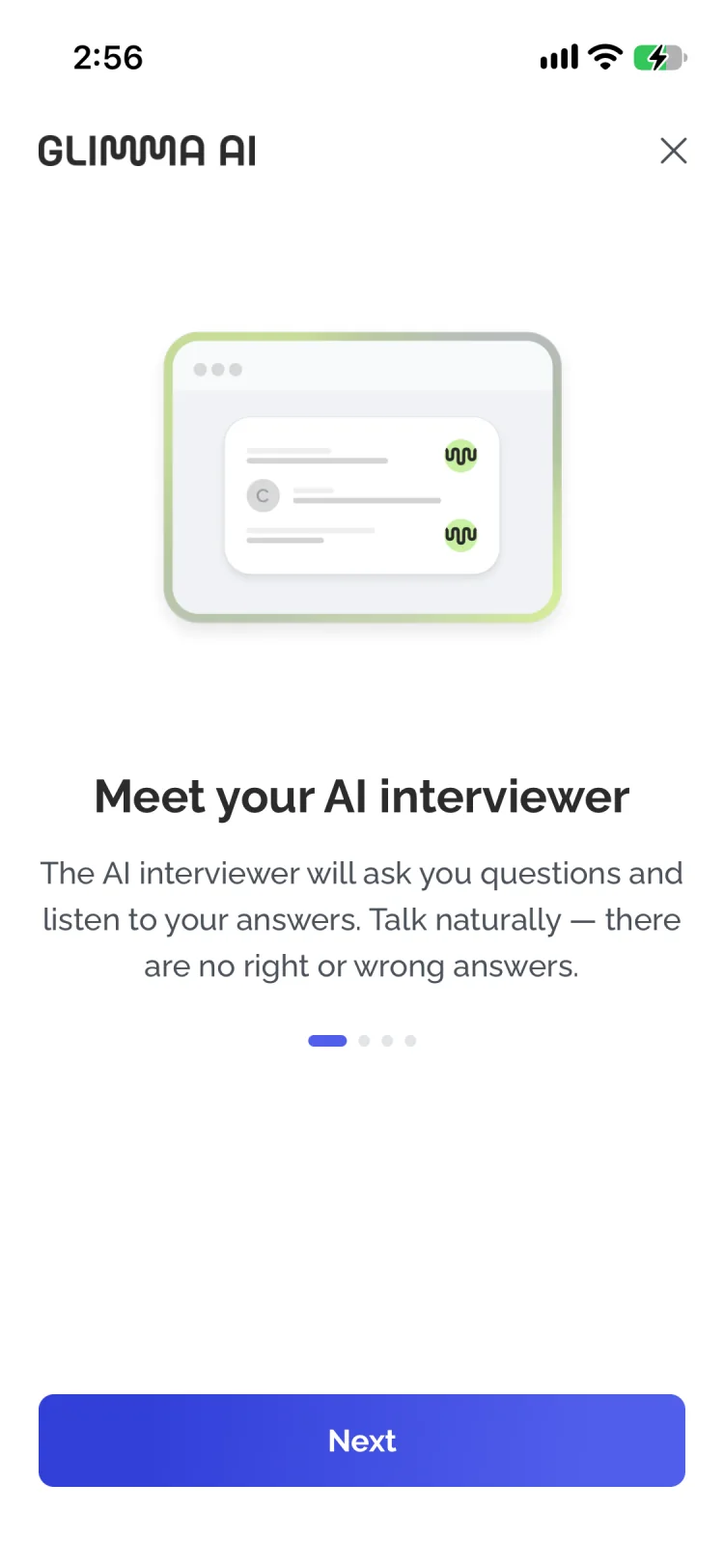
- 2:570%Screen recordingPause
Can you walk me through the last time you used Netflix on your phone? What were you trying to do?
 Submit response
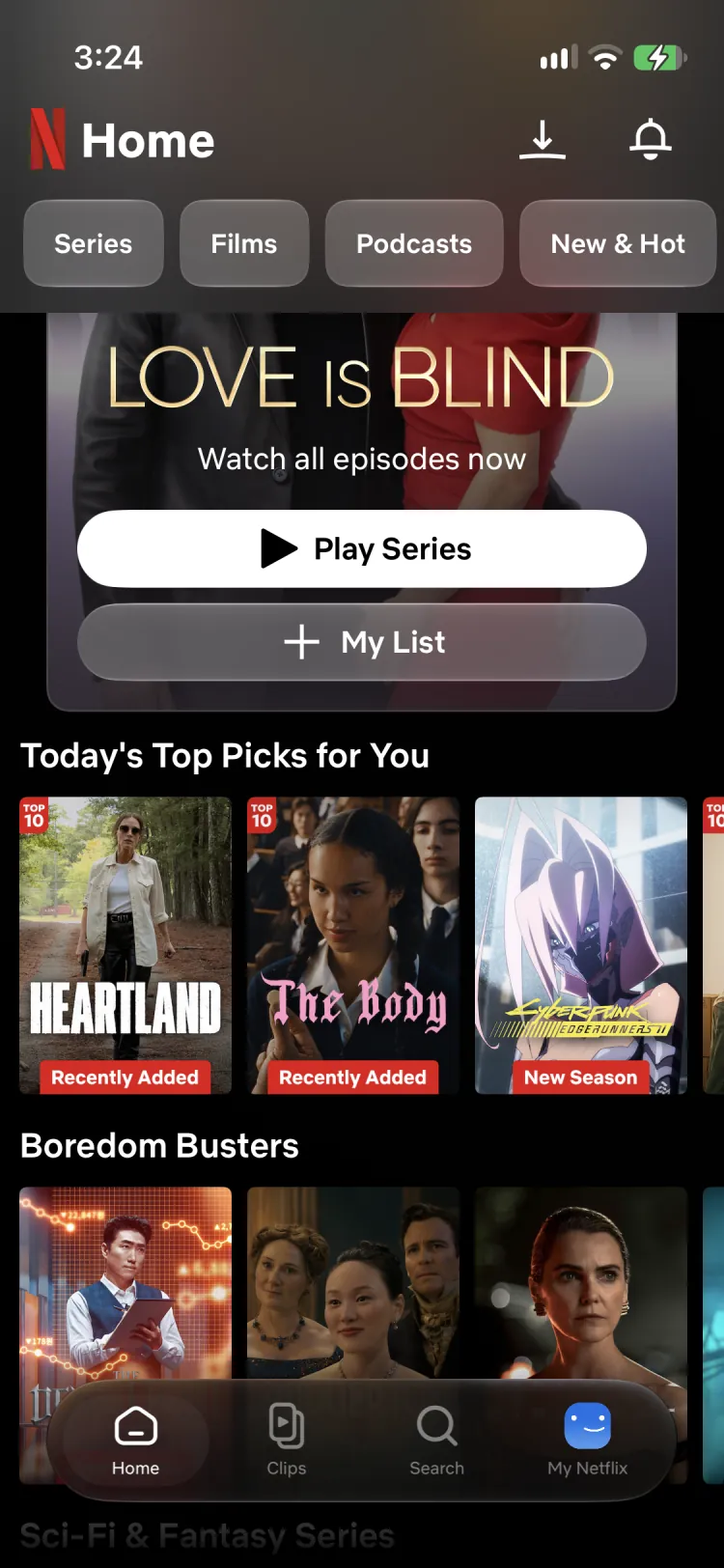 YOUR TASKRecording
Now let’s try a quick activity together. You will be redirected to the Netflix app. Find a series you’d like to watch this weekend and add it to My List.
Available oniOSAndroid
Aggregated results, traceable to every session
Glimma combines every session into one results card per task: success rate, split into direct and indirect, drop-off, time on task, misclick and error rates, and how many participants reached each step of the expected path. Each session is scored while it runs, so the report adds up saved results instead of re-judging anything afterward. Sessions without a defined task never count as failures, and small samples are flagged.
Every number leads back to the sessions behind it. The respondent count opens the people who answered, the heatmap merges everyone’s clicks page by page, and each session keeps its own transcript, notes and recording. Stakeholders can check any insight against what participants actually said and did.
Most participants reached the men’s jackets from the main menu and filtered by size without trouble. The product images caused the most friction: they look clickable but don’t open the product, so several people clicked them repeatedly before using the product name instead.
- Success rate
- 75%6 direct · 3 indirect
- Drop-off
- 25%3 of 12
- Time on task
- 0:48median · Ø 0:56 · n = 9
- Misclick rate
- 18%29 of 161 clicks
- Error rate
- 31%47 of 152 clicks
- First-click accuracy
- 67%8 of 12 started on the path
- 1Men’s jackets12 of 12 · 100%
- 2Size filter: M11 of 12 · 92%
- 3Product card9 of 12 · 75%
- 4Product pageGoal9 of 12 · 75%
- Men’s jackets12 visitors · 61 clicks
- Home12 visitors · 24 clicks
- Storm Shell7 visitors · 12 clicks
- Trail Parka3 visitors · 6 clicks
- Search results2 visitors · 5 clicks
- Size guide2 visitors · 3 clicks
- 1Critical
- 5High
- 8Medium
- 4Low
- 3Positive
One task across 12 sessions: the AI summary, the combined results, and the path, pages, annotations and issues behind them.
More reasons Glimma fits product teams
Start free, with expert help
Begin with a free pilot, and the Glimma team helps set up each study, from the research goal and discussion guide to moderation settings and recruitment.
See plans and start freeAccessible for small and medium-sized companies
Several tools in this guide limit AI moderation to Enterprise plans or early access. Glimma offers a free pilot and self-serve Team and Scale plans, so small and medium-sized companies can run AI-moderated research with real participants without an enterprise contract.
One platform, from recruitment to report
Teams recruit participants, run AI-moderated sessions, analyze the results and build reports in the same place, without exporting data between tools.
Designed for recurring research
The same workflow supports discovery interviews, onboarding research, churn studies, prototype evaluation, live-site testing and AI user evals. Because tasks are scored by the same rules in every study, results stay comparable from one release to the next.
Researchers stay in control
Researchers set the study goal, discussion guide, moderation rules and task success criteria, and pilot the setup. AI drafts the analysis; teams edit reports, rename themes and adjust findings before anything is shared.
Your data stays yours
Clients own their research data. Glimma never uses it to train AI models or to build digital twins of participants, which some platforms in this guide offer.